# Personalização

Para começar você vai rolar para baixo a barra lateral até chegar na opção de **"Configurações"** após entrar no módulo de configurações você vai selecionar a opção de **"Personalização"** como no exemplo:

<figure><img src="/files/0p6vMeaeYYLnubFgaw72" alt=""><figcaption></figcaption></figure>

Agora na barra lateral dentro de personalização você pode escolher qual tópico vai personalizar só selecionar uma para demonstração selecionamos atributo como no exemplo abaixo:&#x20;

<figure><img src="/files/fl5goySpHPjX54D9XsH3" alt=""><figcaption></figcaption></figure>

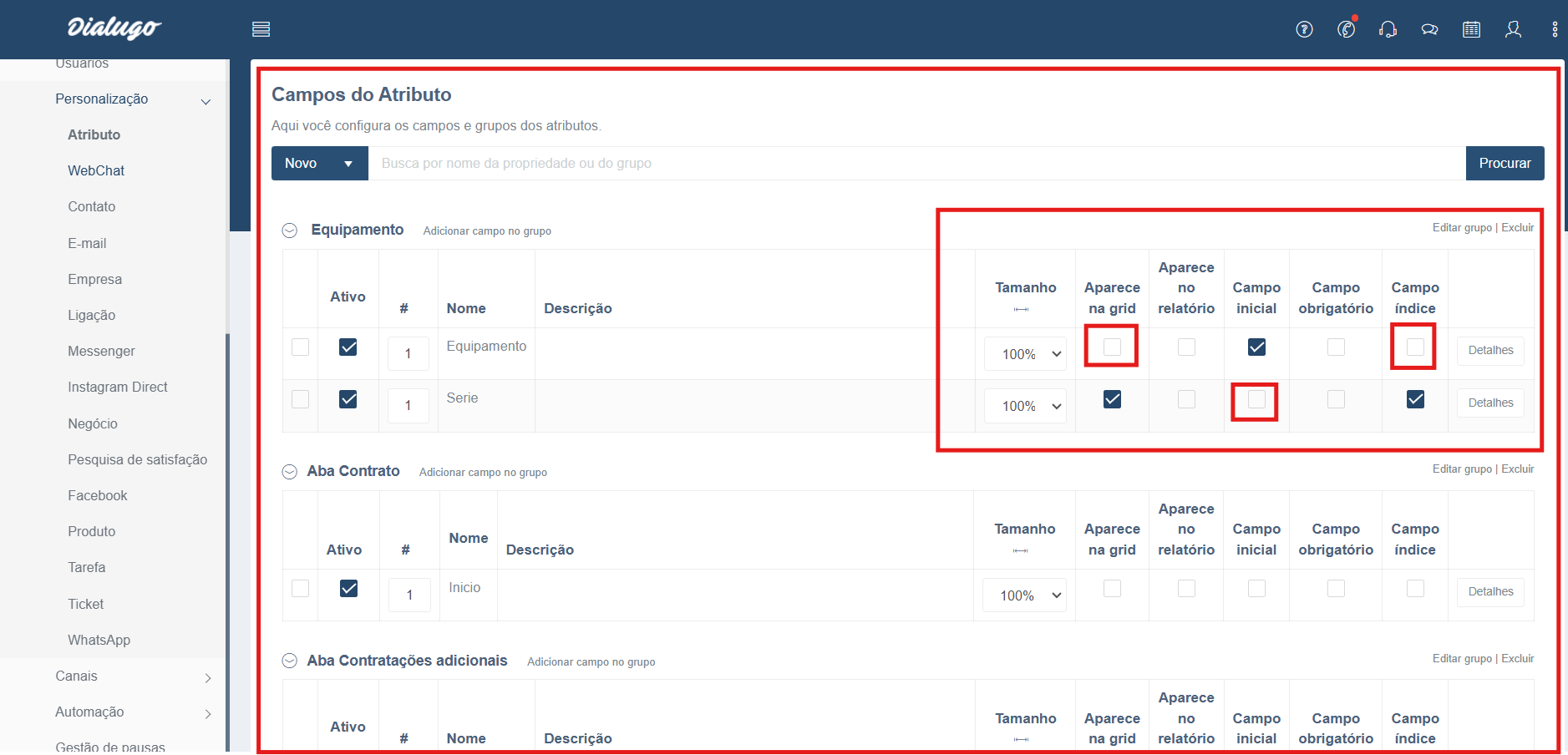
**Esta feito!** Agora você já pode deixar nossa plataforma do seu jeito da forma que você preferir só ir selecionando o que quer personalizar e qual área como no exemplo abaixo:

<figure><img src="/files/niIOKyjIHWKykoRN2dJz" alt=""><figcaption></figcaption></figure>

<table data-view="cards"><thead><tr><th align="center"></th><th data-hidden data-card-target data-type="content-ref"></th></tr></thead><tbody><tr><td align="center">🧭 <strong>Início</strong></td><td><a href="/pages/IEezzD5AmhH4tWQnUeMK">/pages/IEezzD5AmhH4tWQnUeMK</a></td></tr><tr><td align="center">📱<strong>Fale Conosco</strong></td><td><a href="https://api.whatsapp.com/send/?app_absent=0&#x26;phone=551148901001&#x26;text=&#x26;type=phone_number">https://api.whatsapp.com/send/?app_absent=0&#x26;phone=551148901001&#x26;text=&#x26;type=phone_number</a></td></tr><tr><td align="center"> <strong>✅ Checklists</strong></td><td><a href="/pages/JTnKFwnRkzKn68zTMQrh">/pages/JTnKFwnRkzKn68zTMQrh</a></td></tr></tbody></table>

<div align="center"><figure><img src="/files/SZQYDLUDylhXMI4C4Kkq" alt="" width="250"><figcaption></figcaption></figure></div>

&#x20;            Alameda Rio Negro, 500 – 20º andar – Alphaville Industrial – Barueri – SP – 06455-000


---

# Agent Instructions: Querying This Documentation

If you need additional information that is not directly available in this page, you can query the documentation dynamically by asking a question.

Perform an HTTP GET request on the current page URL with the `ask` query parameter:

```
GET https://help.gvpomni.com/gvpomni_v1/personalizar/personalizacao.md?ask=<question>
```

The question should be specific, self-contained, and written in natural language.
The response will contain a direct answer to the question and relevant excerpts and sources from the documentation.

Use this mechanism when the answer is not explicitly present in the current page, you need clarification or additional context, or you want to retrieve related documentation sections.